
Load Balancing Explained (A Complete Guide)
Introduction
In modern cloud computing, load balancing is essential for maintaining fast, reliable, and scalable applications. As traffic increases across websites and applications, businesses need a system that distributes requests efficiently across multiple servers.
Load balancing ensures that no single server is overwhelmed, improving performance, uptime, and user experience.
What is Load Balancing?
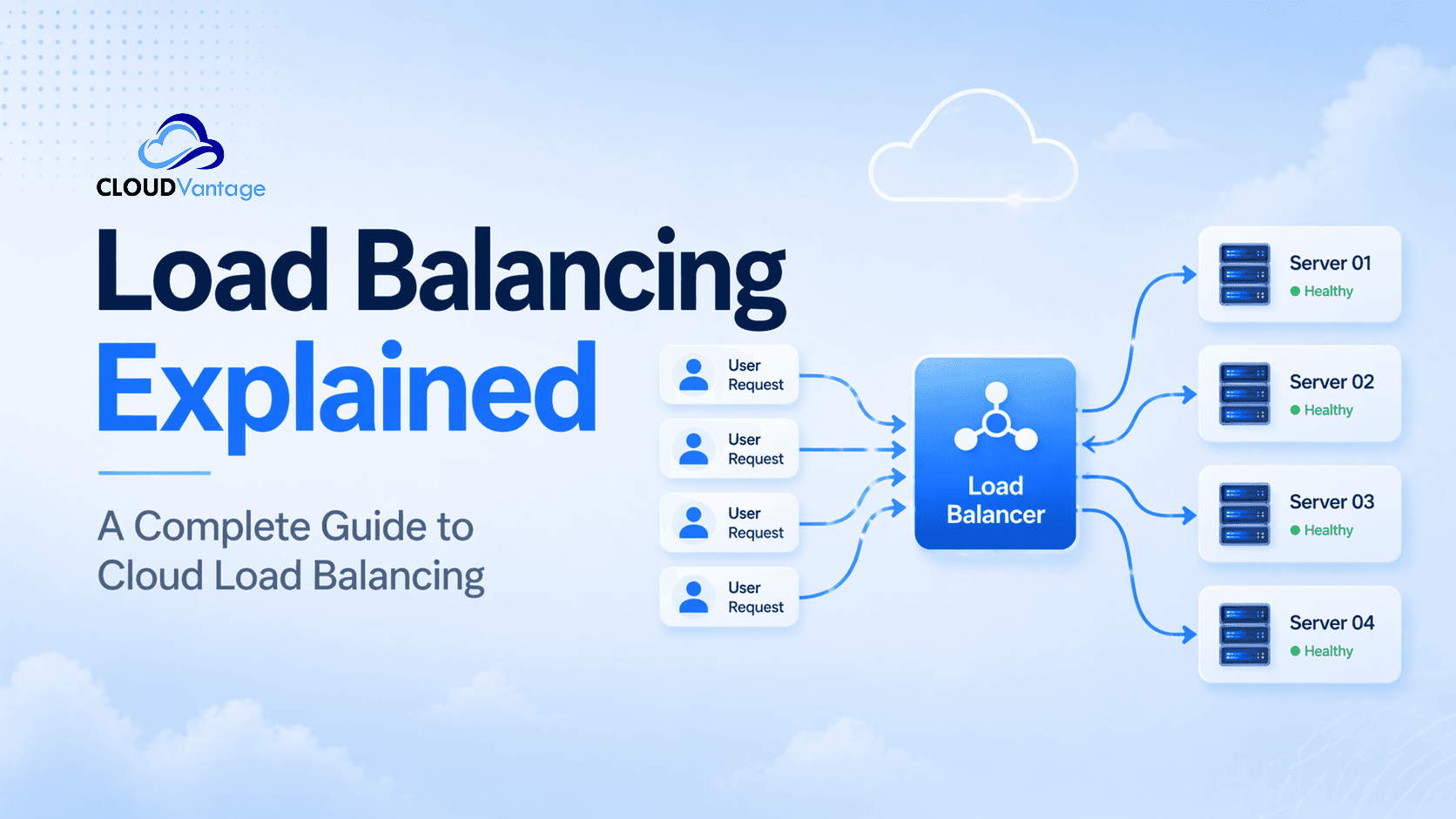
Load balancing is the process of distributing incoming network traffic across multiple servers to ensure optimal performance, reliability, and availability.
Instead of one server handling all requests, a load balancer spreads traffic evenly or intelligently across multiple backend servers. Load balancers ensure that no single server is overwhelmed, improving performance, uptime, and user experience.
Why Load Balancing Matters
- Prevents server overload
- Improves application performance
- Ensures high availability
- Supports scalable cloud infrastructure
How Load Balancing Works
The load balancing process works in real time:
- User sends a request to a website or application
- The request reaches the load balancer first
- Load balancer checks server health and capacity
- Traffic is routed to the best available server
- Server responds to the user
This ensures smooth traffic distribution and reduces latency.
Types of Load Balancing
1. Hardware Load Balancing
- Physical infrastructure
- High performance
- Used in enterprise environments
- Runs on virtual machines
- Flexible and cost-effective
- Common in cloud systems
3. Cloud Load Balancing
Cloud-based systems like CloudVantage provide the following:
- Automatic scaling
- Global traffic distribution
- High availability
- Pay-as-you-use pricing
Load Balancing Algorithms
Round Robin
Requests are distributed sequentially across servers. Each server receives requests in order, making it simple and efficient.
Least Connections
Directs traffic to the server with the fewest active connections, improving performance under heavy load.
Source IP
Routes users based on IP address for session consistency.
Weighted Load Balancing
More powerful servers receive more traffic based on their relative capacity.
Benefits of Load Balancing
- High Availability — Ensures services remain online even if a server fails.
- Improved Performance — Reduces latency and improves response time.
- Scalability — Supports growing traffic without downtime.
- Efficient Traffic Distribution — Prevents server overload and bottlenecks.
- Better User Experience — Faster loading websites increase engagement and retention.
Load Balancing vs. Autoscaling
Load balancing and autoscaling are often mentioned together, but they are distinct technologies that serve different purposes.
A load balancer distributes traffic across whatever servers are currently available. It does not add or remove servers — it simply manages the flow of requests across the existing pool. Autoscaling, by contrast, dynamically adjusts the number of servers based on demand.
The two work well in combination: autoscaling grows or shrinks the server pool, and the load balancer ensures traffic is distributed evenly across it. However, a load balancer functions effectively on its own across a fixed set of servers and does not require autoscaling to deliver its core benefits.
Challenges of Load Balancing
- Complex configuration in large infrastructures
- Requires continuous monitoring
- Misconfiguration can affect traffic routing
- Higher cost in enterprise environments
Modern businesses rely on cloud-native platforms like CloudVantage for cloud load balancing and scalable infrastructure management.
Key Benefits of CloudVantage Load Balancing
- Automated Load Balancing — Intelligent systems automatically distribute traffic across servers.
- High Availability Architecture — Ensures zero downtime through failover systems.
- Global Traffic Distribution — Reduces latency by routing users to the nearest server.
- Autoscaling Integration — Works seamlessly alongside autoscaling tools to expand or contract your server pool as demand changes, without any manual intervention.
- Smart Server Health Monitoring — Only healthy servers receive incoming traffic.
- Cost-Effective Cloud Infrastructure — Pay-as-you-use pricing reduces infrastructure costs.
- E-commerce websites during peak sales
- Streaming platforms with global audiences
- Banking and fintech applications
- SaaS platforms
- Online gaming servers
- Mobile applications with high traffic
Load Balancing vs. Reverse Proxy
|
Feature |
Load Balancer |
Reverse Proxy |
|
Function |
Distributes incoming traffic across multiple backend servers |
Intercepts client requests and forwards them on their behalf |
|
Purpose |
Scalability and fault tolerance |
Security, caching, and routing |
|
Server Setup |
Requires multiple backend servers |
Works with single or multiple servers |
Best Practices for Load Balancing
- Use health checks for server monitoring
- Pair with autoscaling for dynamic environments — load balancing manages traffic distribution while autoscaling adjusts the number of available servers
- Select the right load balancing algorithm for your workload
- Implement redundancy and failover systems
- Monitor traffic performance regularly
- Secure connections using HTTPS
- AI-driven traffic optimization
- Edge computing integration
- Serverless load balancing
- Multi-cloud traffic distribution
- Real-time adaptive routing systems
Frequently Asked Questions
What is load balancing in simple terms?
Load balancing distributes traffic across multiple servers to improve speed and reliability.
Why is load balancing important?
It ensures high availability and prevents any single server from becoming a bottleneck, keeping applications fast and online.
Is load balancing part of cloud computing?
Yes, cloud load balancing is a key feature in modern cloud infrastructure.
Does load balancing improve website speed?
Yes — it reduces latency by distributing traffic efficiently across servers, so no single server is under excessive strain.
How does CloudVantage help with load balancing?
CloudVantage provides automated cloud load balancing, high availability architecture, and elastic scalability — all managed through an intelligent cloud platform.
Conclusion
Load balancing is a critical technology for modern cloud infrastructure. It ensures scalability, performance, and reliability across digital systems.
With advanced platforms like CloudVantage, businesses can implement cloud load balancing, improve uptime, and deliver seamless user experiences — without the complexity of managing infrastructure manually.